Semantic Data Model
Introduction
The Unified Marketing Intelligence Semantic Data Model (SDM) combines paid media, owned-channel engagement, and CRM data in one queryable semantic layer. You can use the SDM to report across channels with consistent measurements, shared dimensions, and supported join paths.
The SDM brings together Marketing Intelligence paid media data, Marketing Cloud owned-channel objects, and CRM objects. For example, you can compare paid media impressions, owned-channel clicks, and influenced pipeline by campaign without building a custom reporting model.
In this workshop, you’ll extend the SDM with a custom calculated field, then create a metric and dimension based on that field for use by agents and in dashboards.
Create Calculated Field
In this exercise, you will add a custom field to the Marketing Intelligence Custom Semantic Model in Tableau Next.
- Search and select
Tableau Nextfrom App Launcher. - Click Browse on the page menu.
- Enter
Marketing Intelligence Custom Semantic Modelin the Search field, then select the matching record to open it. - Click Edit.
- Click the
icon in the Calculated Fields section of the Objects panel to create a new calculated field. - Click Draft with Einstein, then copy and paste the following prompt into the text area field.
Create a calculated field named `Marketing Impact Score` that measures overall performance across branding, engagement, and conversion. Calculate the score on a 0–100 scale using these weighted metrics: Delivery Impressions (30%), Delivery CTR (25%) and Delivery ROI (45%).- Click
Draft with Einstein. - Confirm that the generated formula looks similar to the expression below.
IF WINDOW_MAX(
  SUM([Delivery].[Delivery Impressions])) > 0 THEN (
  SUM([Delivery].[Delivery Impressions]) / WINDOW_MAX(
    SUM([Delivery].[Delivery Impressions])
  ) * 0.3 + IFNULL([Delivery CTR], 0) * 0.25 + IFNULL([Delivery ROI], 0) * 0.45
) * 100 ELSE 0 END- Click Validate, then click Save.
- Click the
icon in the Metrics section of the Objects panel to create a new metric. - Enter
Marketing Impact Scorein the Name field. - Enter the text below in the Description field.
The Marketing Impact Score (MIS) measures the overall effectiveness of marketing activities across impressions, engagement, and return on investment.- Click Next.
- Select Marketing Impact Score from the Measure field.
- Select the Engagement Date Time calculated dimension as the Time Dimension.
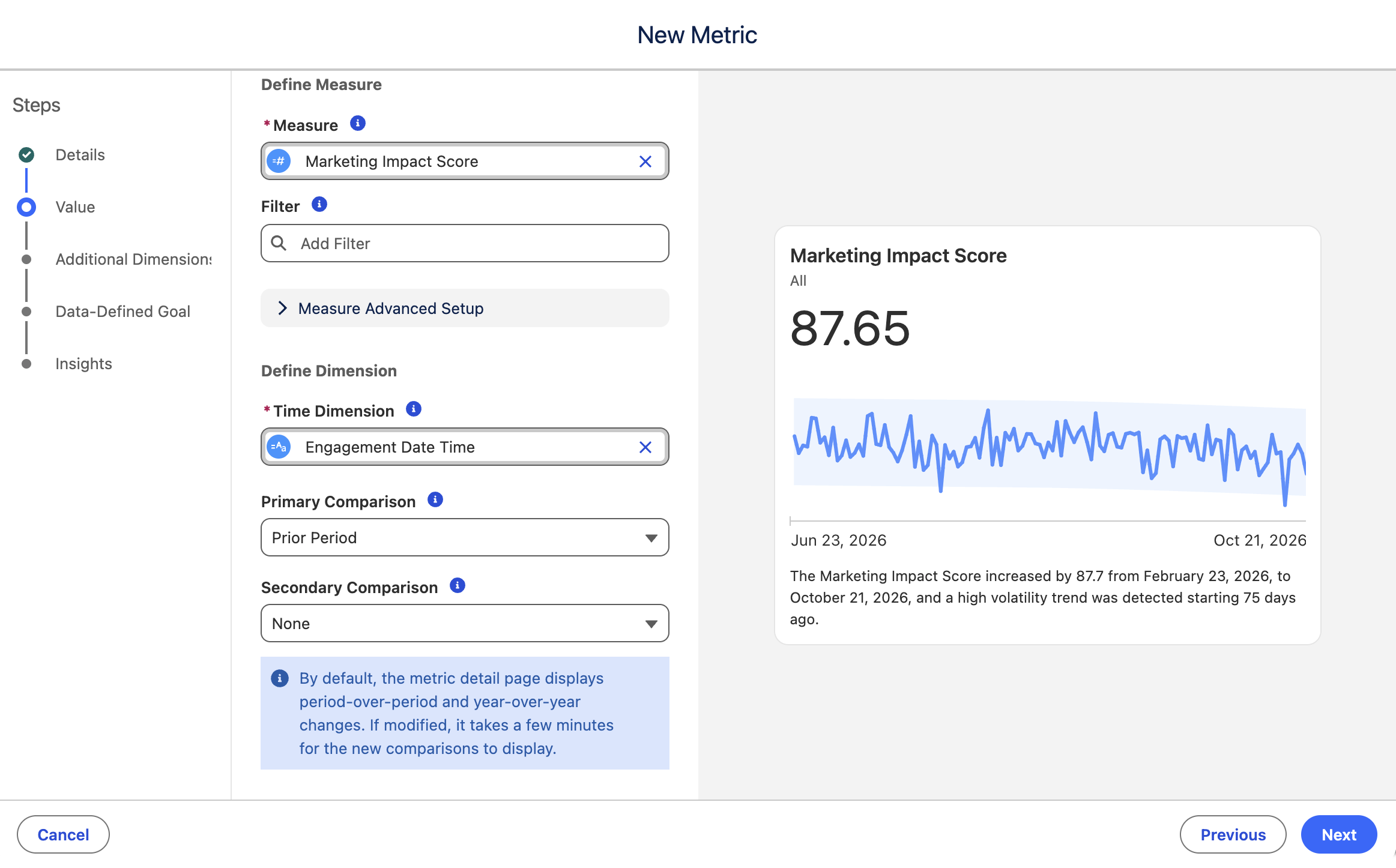
- Click Next.
- Select the following dimensions in the Additional Dimensions menu:
- Marketing Channel.Marketing Channel Name
- Market Segment.Market Segment Name
- Campaign.Campaign Name
- Ad.Ad Name
- Product Name
- Click Next.
- Leave the Create Goal toggle off, then click Next.
- Click Save.
Test Agent
In this exercise, you will validate that the agent understands the context of the MIS calculated field that you previously created.
- Search and select
Marketing Intelligencefrom App Launcher. - Click the Marketing Analytics tab.
- Click the icon in the page header to open the agent panel.
- Choose the Marketing Intelligence agent, then click Select.
- Enter the following question in the chat text area, then click the send
icon.
What is my MIS by marketing channel?The agent should understand what the Marketing Impact Score (MIS) represents and provide recommendations.