Data Enrichments
MarketerIntermediate~13 mins
Introduction
Data enrichments improve the quality and usefulness of your marketing data by adding business context, standardizing values, and organizing information into meaningful categories. This helps Marketing Intelligence generate clearer insights to support better-informed decisions.
You can enrich your data using an existing Data 360 data model object (DMO), an uploaded file, or Einstein Data Enrichment. In this workshop, you’ll use Einstein Data Enrichment to create two data enrichments.
Create Data Enrichments
- Search and select
Marketing Intelligencefrom App Launcher. - Click the Data Management tab.
- Expand Harmonization from the Data Management menu, then click Data Enrichment.
- Click New Enrichment, then select
Enrich with Einstein. - Select default from the Data Space menu.
- Enter
Product Namein the Name field. - Select Ad Name from the Select a dimension to enrich menu.
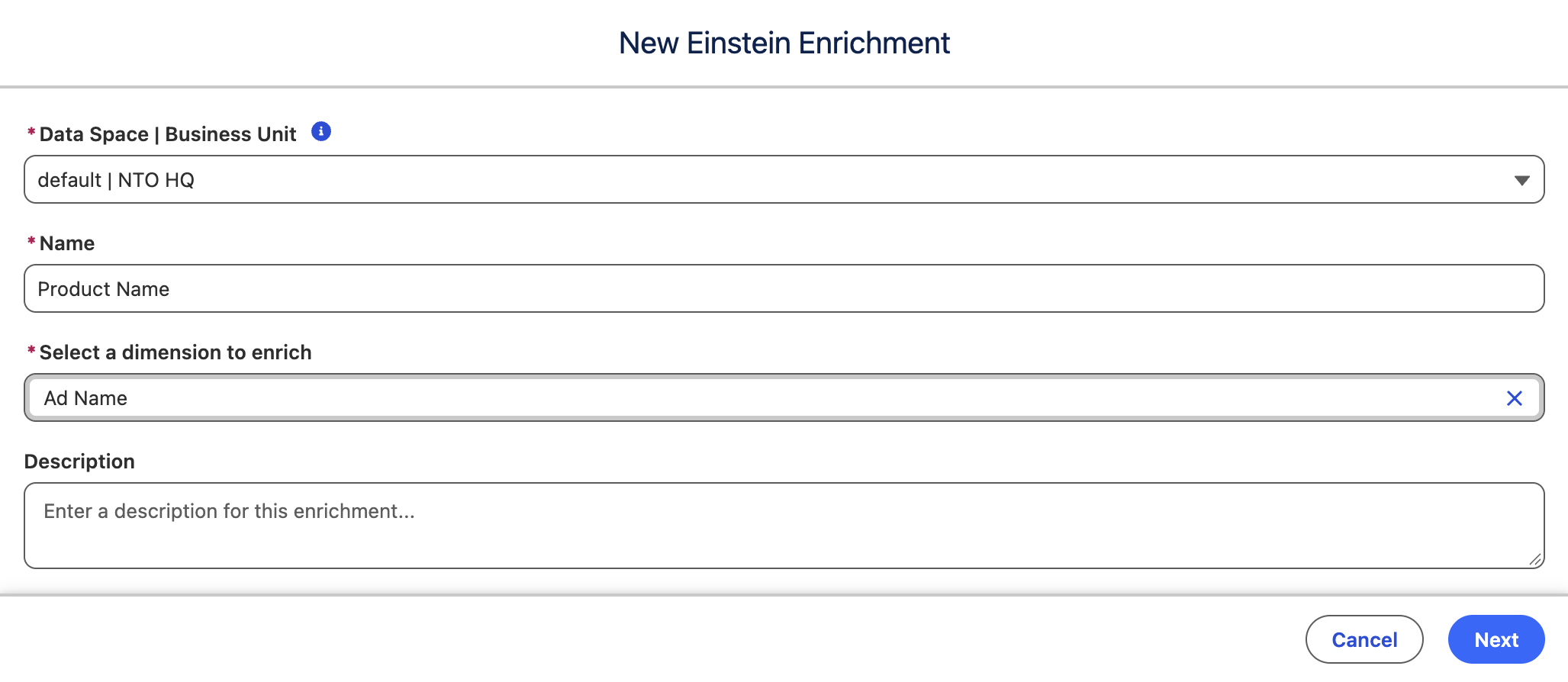
- Click Next.
- Select the Data Grouping enrichment objective.
- Enter the following instructions in the Write instructions text area field:
Add a `Product Name` column. For each row, unify the product referenced in `Ad Name`.- Click Next and confirm that a product names have been created based on the respective ad name.
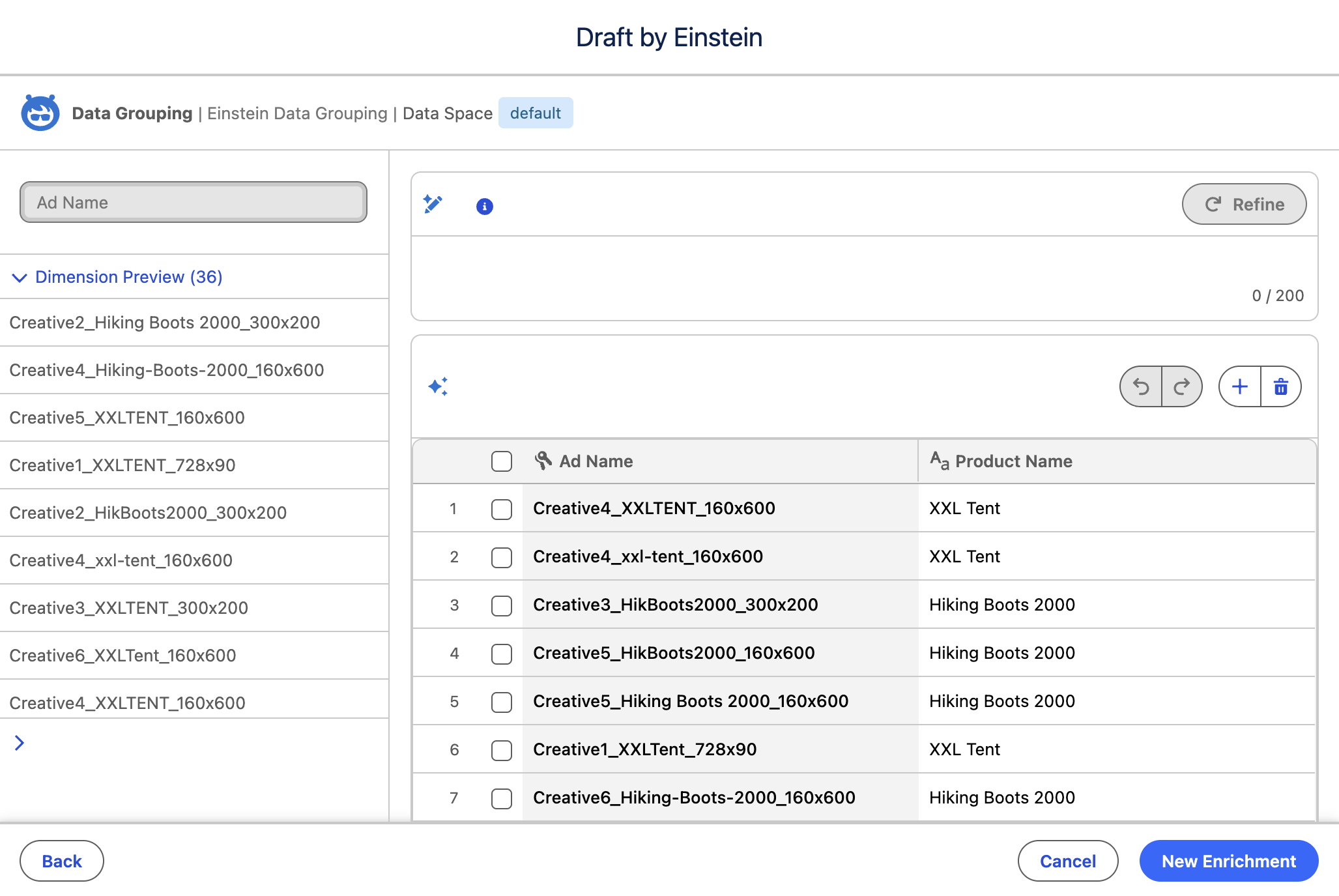
- Click New Enrichment.
- Click New Enrichment, then select
Enrich with Einstein. - Select default from the Data Space menu.
- Enter
Country Namein the Name field. - Select Campaign Name from the Select a dimension to enrich menu.
- Click Next.
- Select the Data Grouping enrichment objective.
- Enter the following instructions in the Write instructions text area field:
Add a `Country Name` column. For each row, unify the countries referenced in `Campaign Name`.- Click Next and confirm that country names have been created based on the respective campaign name.
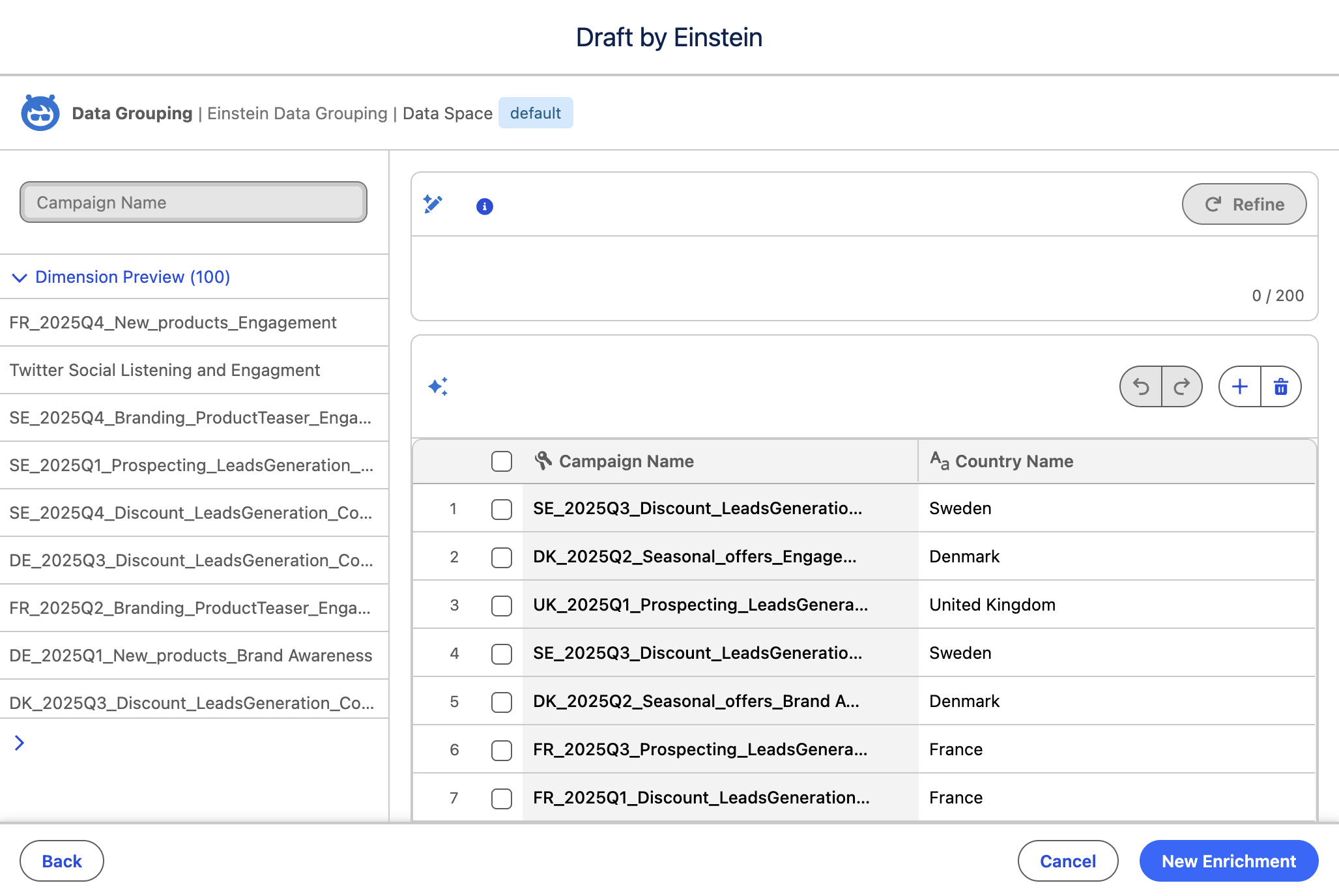
- Click New Enrichment.
Test Dimensions
- Ensure both data enrichments have successfully completed processing.
- Click the Marketing Analytics tab.
- Click
Optimize in the Campaign Summary section. - In the agent panel, choose the Analytics and Visualization agent, then click Select.
- Enter the following question in the chat text area, then click the send
icon.
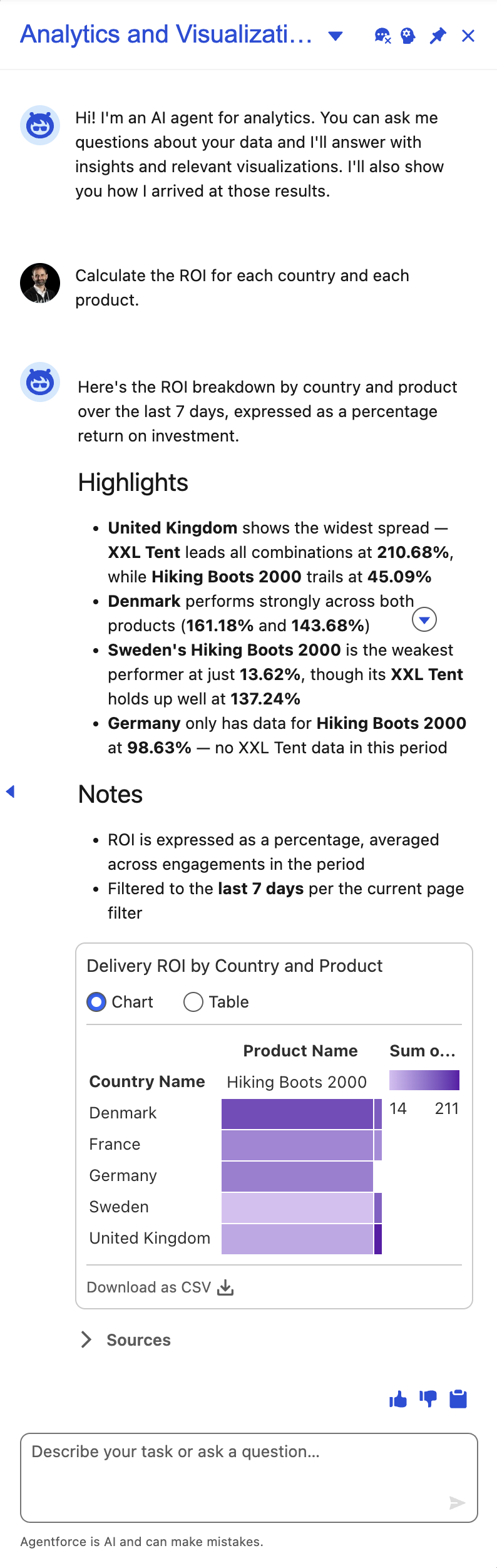
Calculate the ROI for each country and each product.- The agent should return details on ROI breakdown by country and product.