Marketing Intelligence Agent
AdministratorFoundational~12 mins
Introduction
The Marketing Intelligence agent uses your marketing data and business context to surface insights and take action in real time. In this workshop, you’ll configure the agent and prompt it to recommend ways to optimize your campaigns.
Configure the Marketing Intelligence Agent
- Click on the icon and click the first Setup menu item.
- In the Quick Find field, enter and select
Agentforce Agentsfrom the Agentforce Studio menu. - Toggle Agentforce to On.

- In the Quick Find field, enter and select
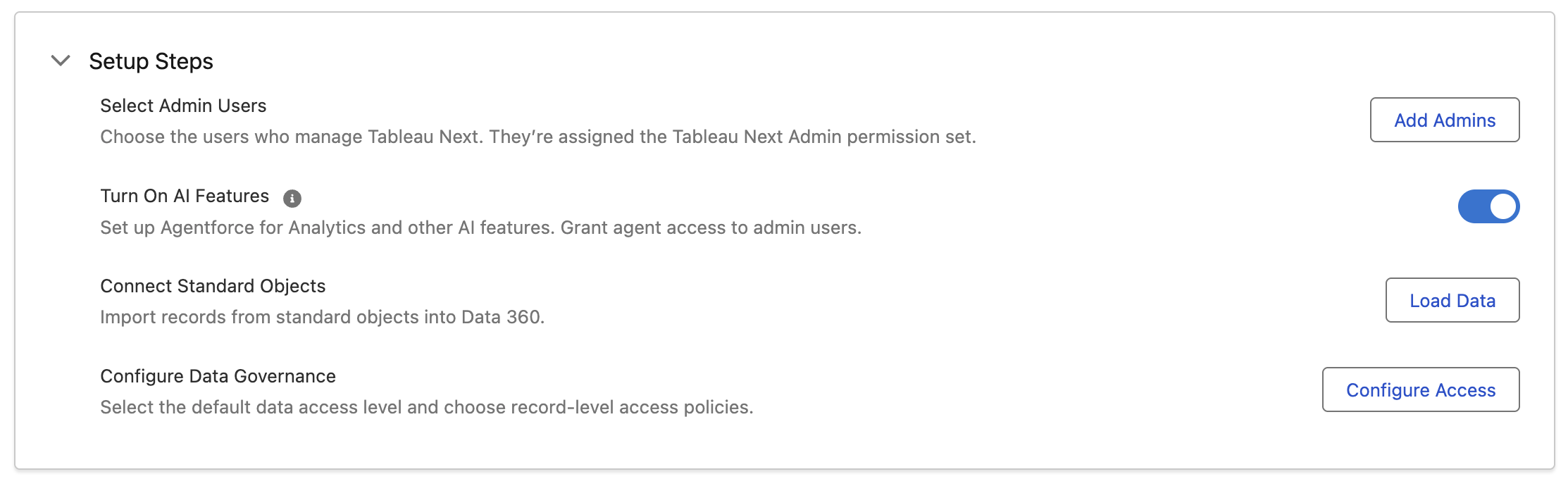
Tableau Next Setupfrom the Tableau Next menu. - Toggle Turn On AI Features to On.
- Search and select
Agentforce Studiofrom App Launcher. - Click New Agent.
- Locate the Marketing Intelligence Agent tile, then click Select.
- Enter
Marketing Intelligence Agentin the Agent Name field, then click tab to automatically populate the Developer Name. - Click Let's Go.
- Click Commit Version, then click Commit when prompted.
- Click Activate, then click Activate when prompted.
- Click Done to close the confirmation dialog.
- Return to Setup, then in the Quick Find field enter and select
Permission Setsfrom the Agentforce Studio menu. - Navigate to the page with the Agent Access - Analytics and Visualization V2 permission set and select it.
- Click Agent Access.
- Click Edit.
- Enable the Marketing Intelligence Agent, then click Save.

- Click OK in the confirmation dialog.
Test the Agent
- Search and select
Marketing Intelligencefrom App Launcher. - Click
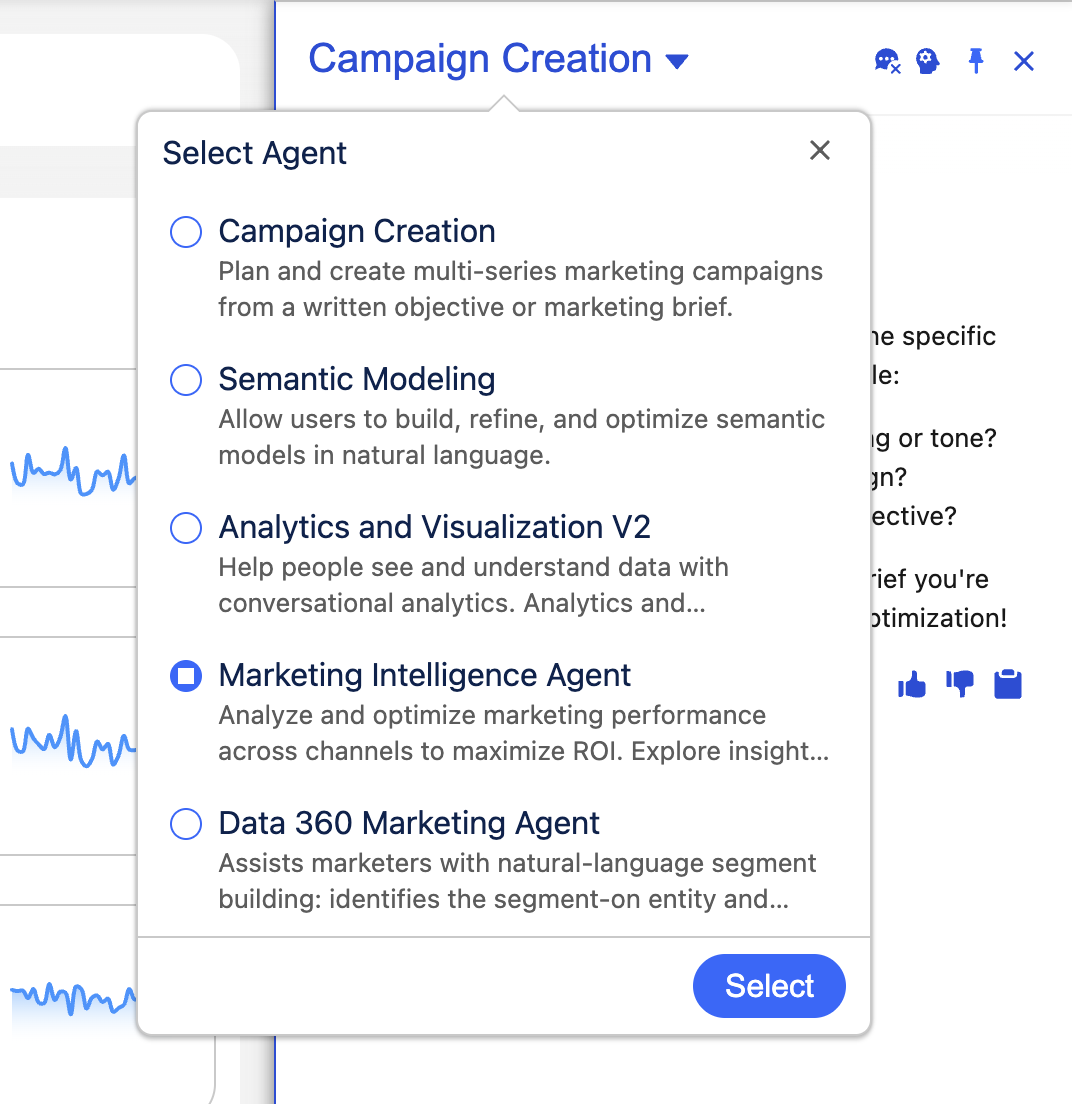
Optimize in the Campaign Summary tile on the Home page dashboard. - In the agent panel, ensure Marketing Intelligence is the active agent. Select it if a different agent is active, then click Select.
- Enter
Optimize campaignsin the chat text area, then click the sendicon. - The agent should respond with recommended campaign objectives.
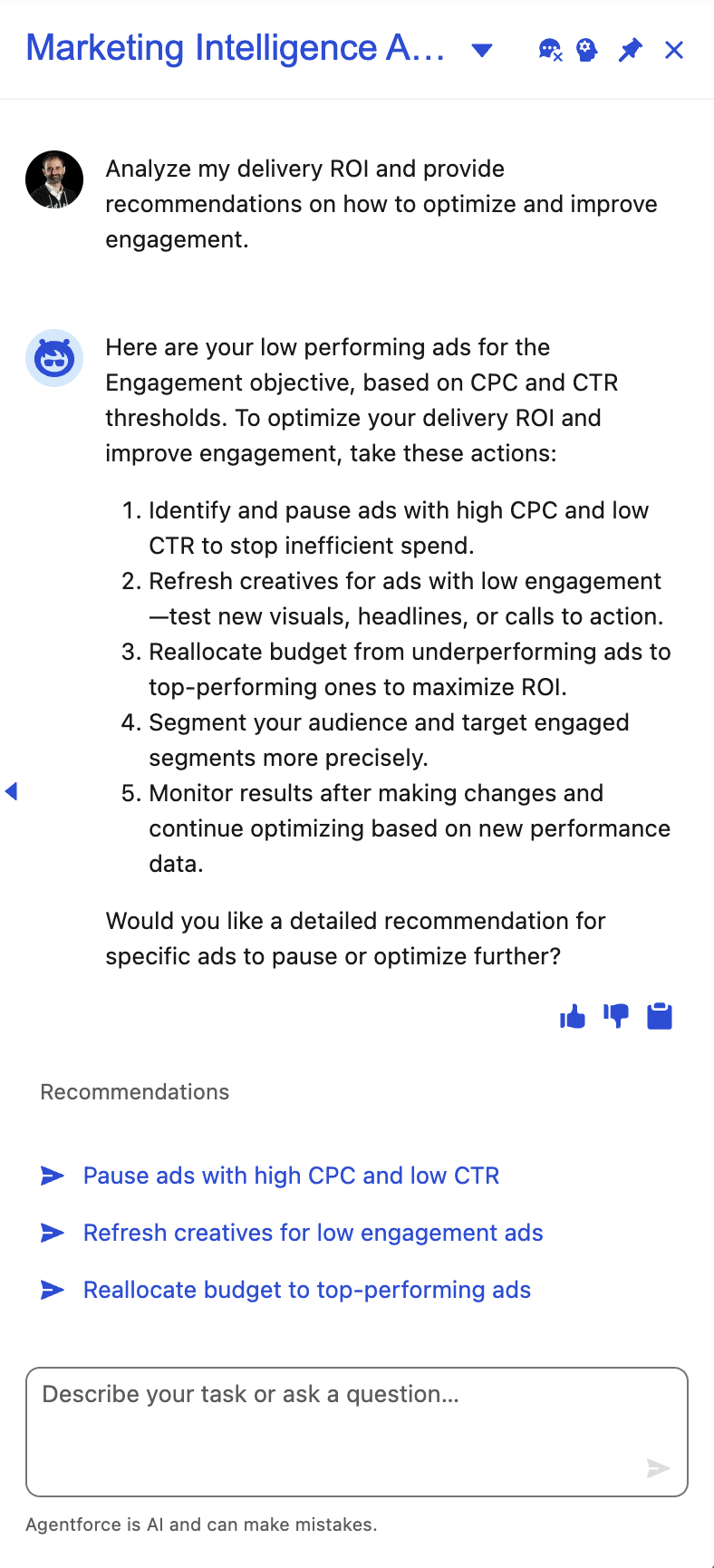
- Next, ask the following advanced question in the chat text area.
Analyze my delivery ROI and provide recommendations on how to optimize and improve engagement.- The agent should return details on low performing ad campaigns and recommendations to improve delivery ROI.